 SproutGPT
🔗 Share chats
Share any conversation with a link
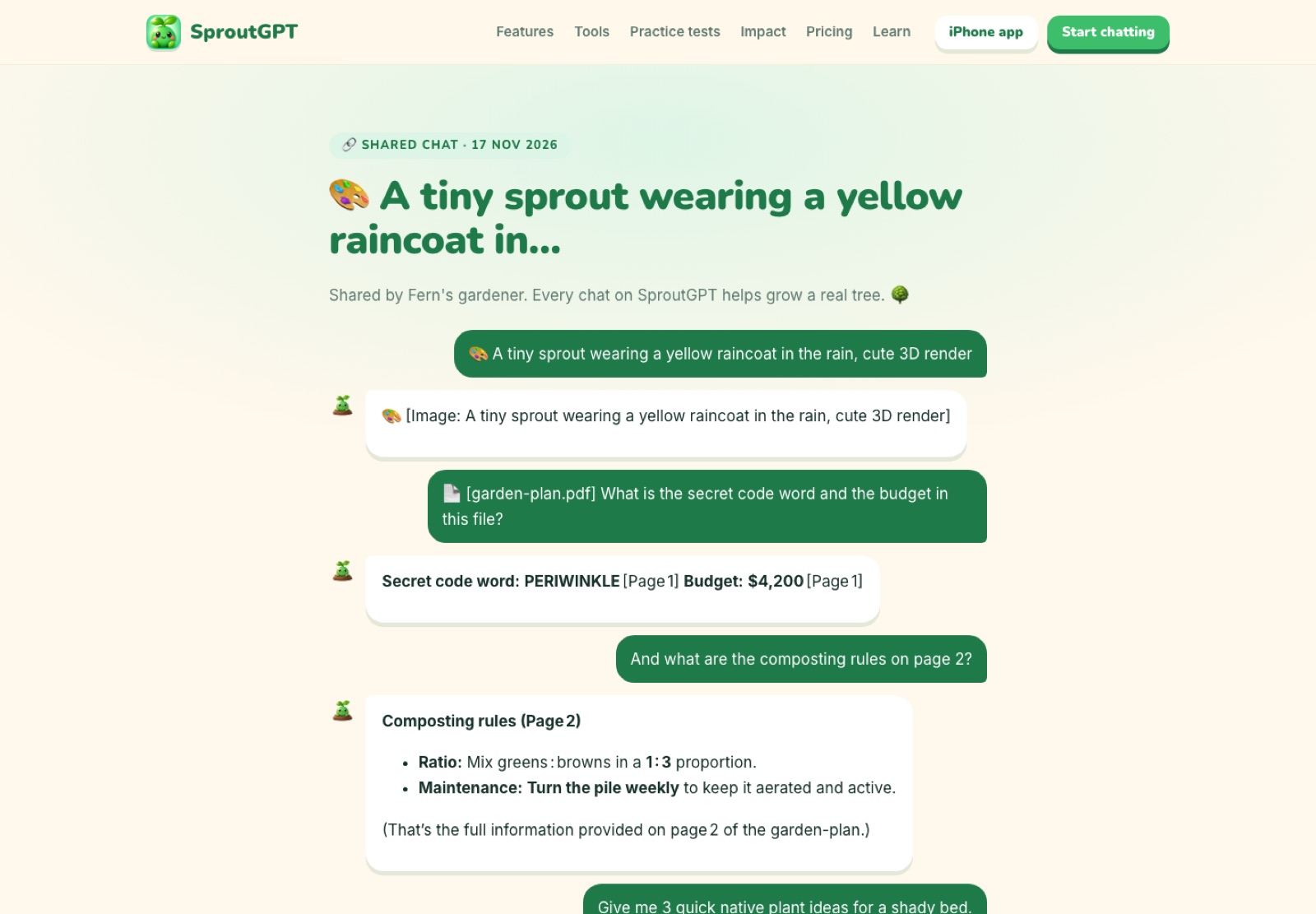
Found a great answer? Share the whole conversation as a clean, read-only page that anyone can open, no account needed. Delete it any time.
Share a chat →
📱 The iPhone & iPad app is in App Store review.
Notify me
🌱 Free: Included👑 Pro: Included

How it works
1
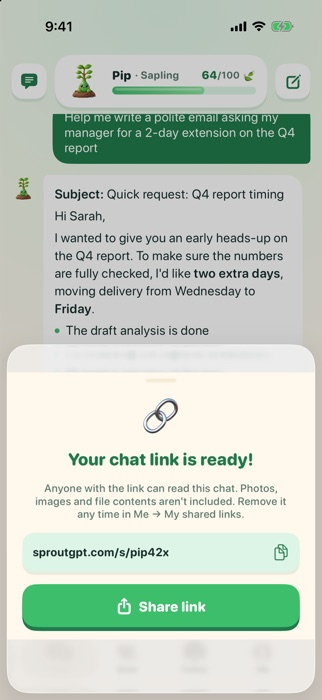
Tap Share
From any chat on web or iPhone.
2
Get a link
A private, unlisted link like sproutgpt.com/s/abc123.
3
Stay in control
See and delete your shared links in Settings.
Why you'll love it
- Read-only, beautifully formatted
- Unlisted (not in search engines)
- Delete any time
- Images and file contents never included
Questions
Who can see a shared chat?
Anyone with the link. Shared pages aren't listed in search engines, and you can delete them at any time.
More new features
🔎Web searchLive web search with real sources (5 a day free)🧠MemoryAn assistant that gets to know you, with your consent🎓Study & quizzesA patient tutor that explains, then quizzes you🌳Grow with friendsGrow together with friends🌍Tree receiptsEach earned tree will get its own page🎨Make imagesFree AI image generator, built into your chat📄Chat with PDFsAsk questions, get answers with page numbers🎙️Talk out loudSpeak your questions, hear the answers🎭Your styleCustom instructions and personalities💧Daily goalsThree small daily goals that build your streak🏅Badges20 achievements to collect🏆Weekly leagueA friendly weekly leaderboard📊Weekly recapYour week in leaves, ready to share🌰Prompt ideas100 ready-to-use AI prompts
Start growing your first tree 🌱
Free every day, no sign-up. Your first answer is a few seconds away.