 SproutGPT
An assistant that gets to know you, with your consent
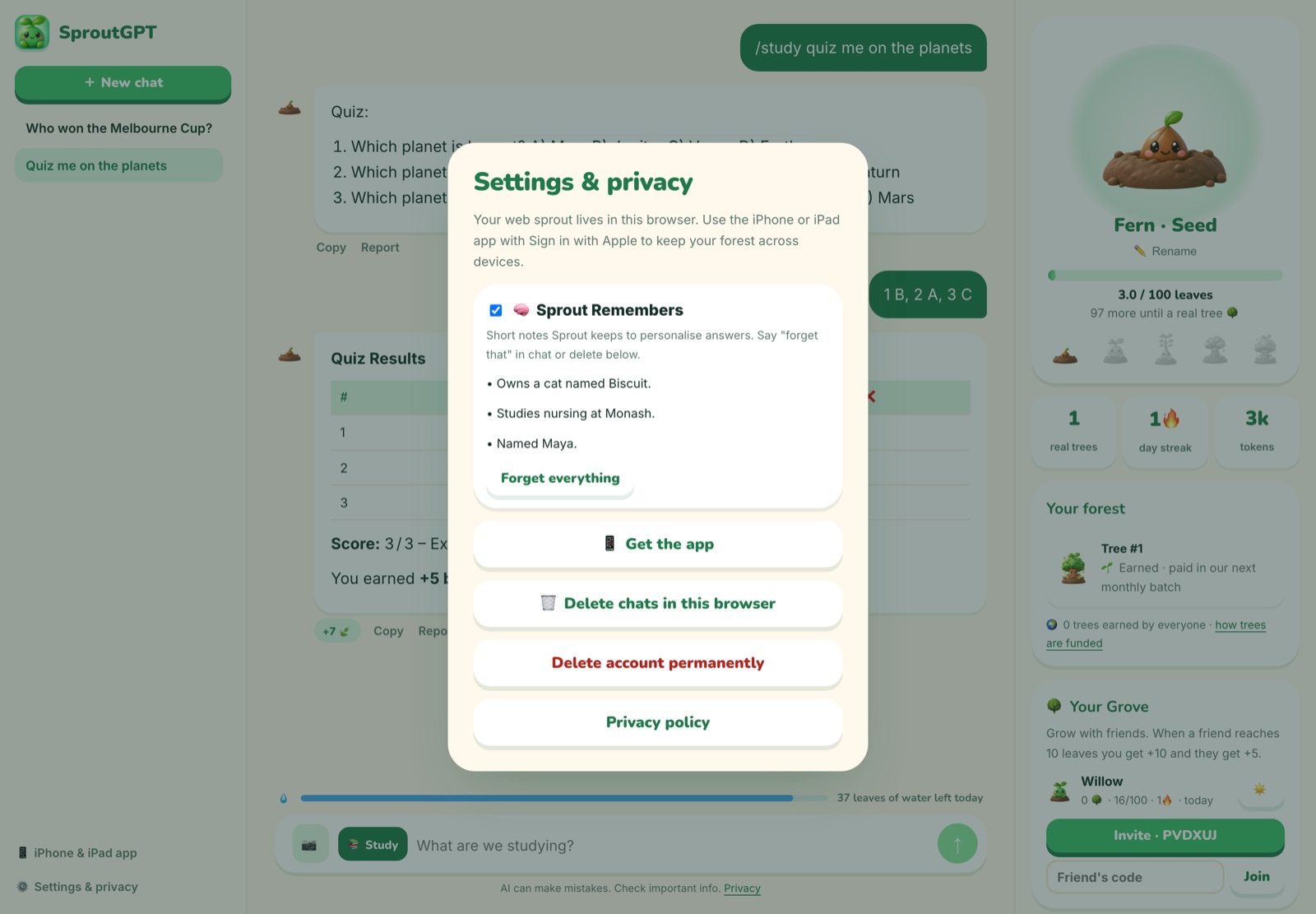
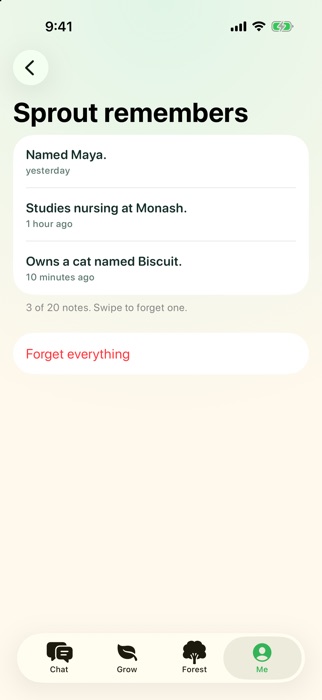
Turn on memory and Sprout keeps a few short notes, like your name, what you study or your goals, so every answer feels made for you. You can see and delete every note.
Notify me

How it works
Opt in
Memory is off until you turn it on. One tap in chat, Settings or Me.
Sprout takes notes
After a reply, Sprout saves only durable facts you shared, and skips sensitive topics unless you ask it to remember.
You stay in control
See every note, swipe to forget one, forget everything, or just say "forget that".
Why you'll love it
- Off by default, opt-in only
- View, delete or wipe in one tap
- Say "forget that" in chat
- Never used to train AI
Questions
What does Sprout remember?
Short facts like your name, your course or job, ongoing projects and preferences. Health, religion, politics and similar topics are skipped unless you explicitly ask.
Where are memories stored?
With your SproutGPT account on our servers, so they work across your devices. Deleting your account deletes them all.
How many memories?
Up to 20 on Free and 200 with Pro.
More new features
Start growing your first tree 🌱
Free every day, no sign-up. Your first answer is a few seconds away.